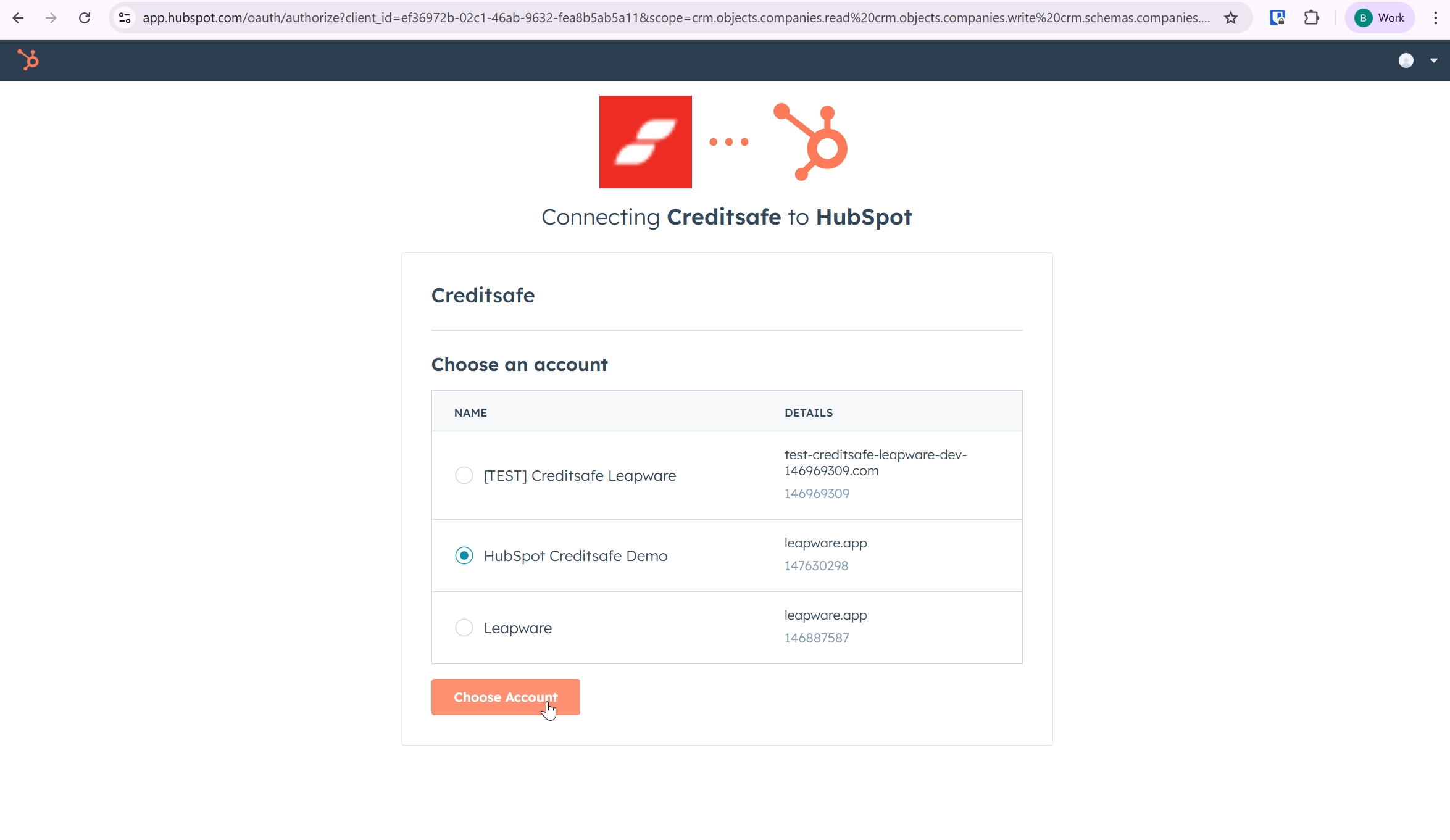
Step 1 - Choose portal
You can install the app using this link.
HubSpot will ask you to select the account in which you want to install the app. Simply choose the desired account to continue.
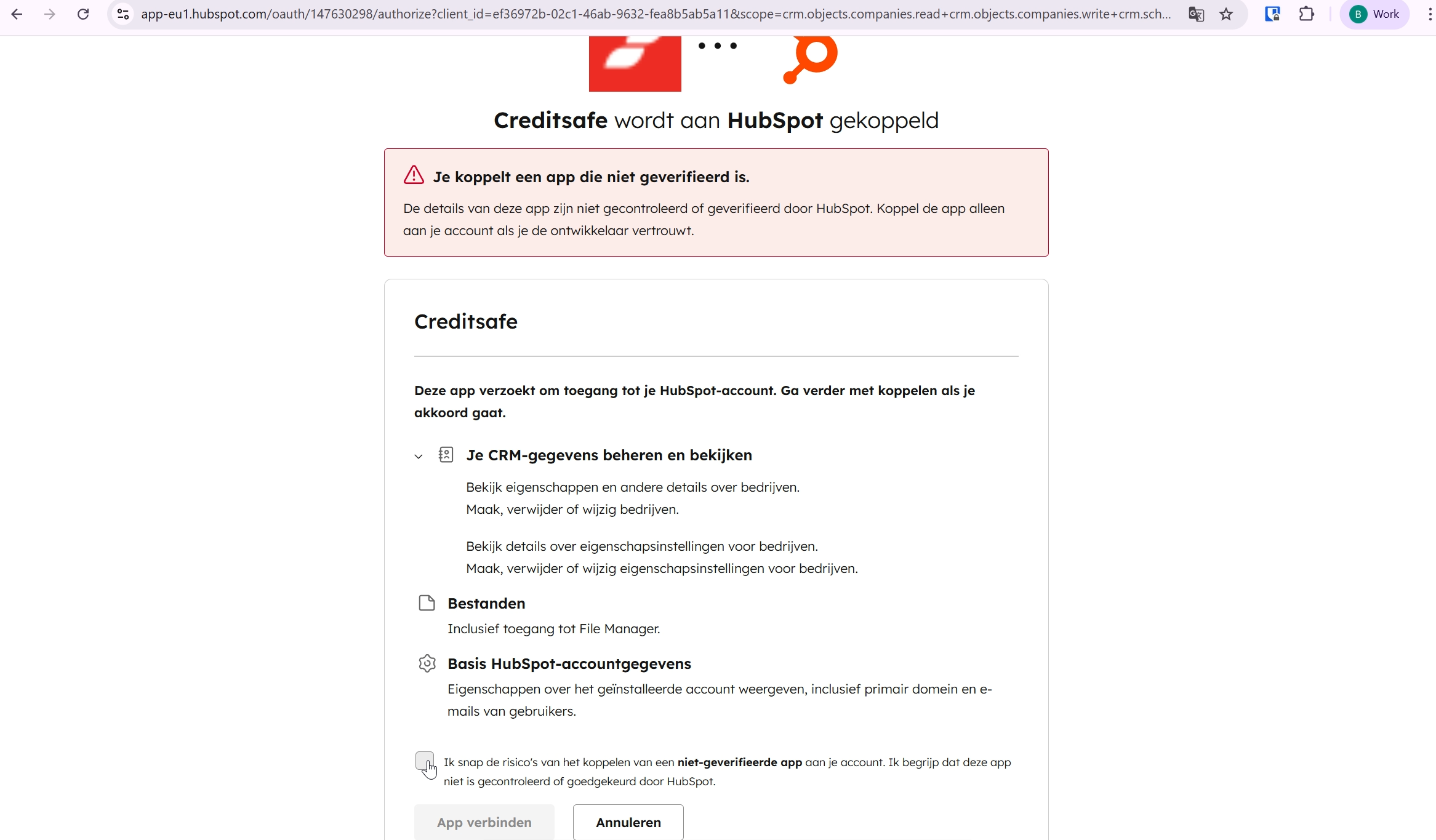
Step 2 - Accept scope
The Creditsafe app requests permission to access and update certain HubSpot data.
The app only writes data to the Company record.
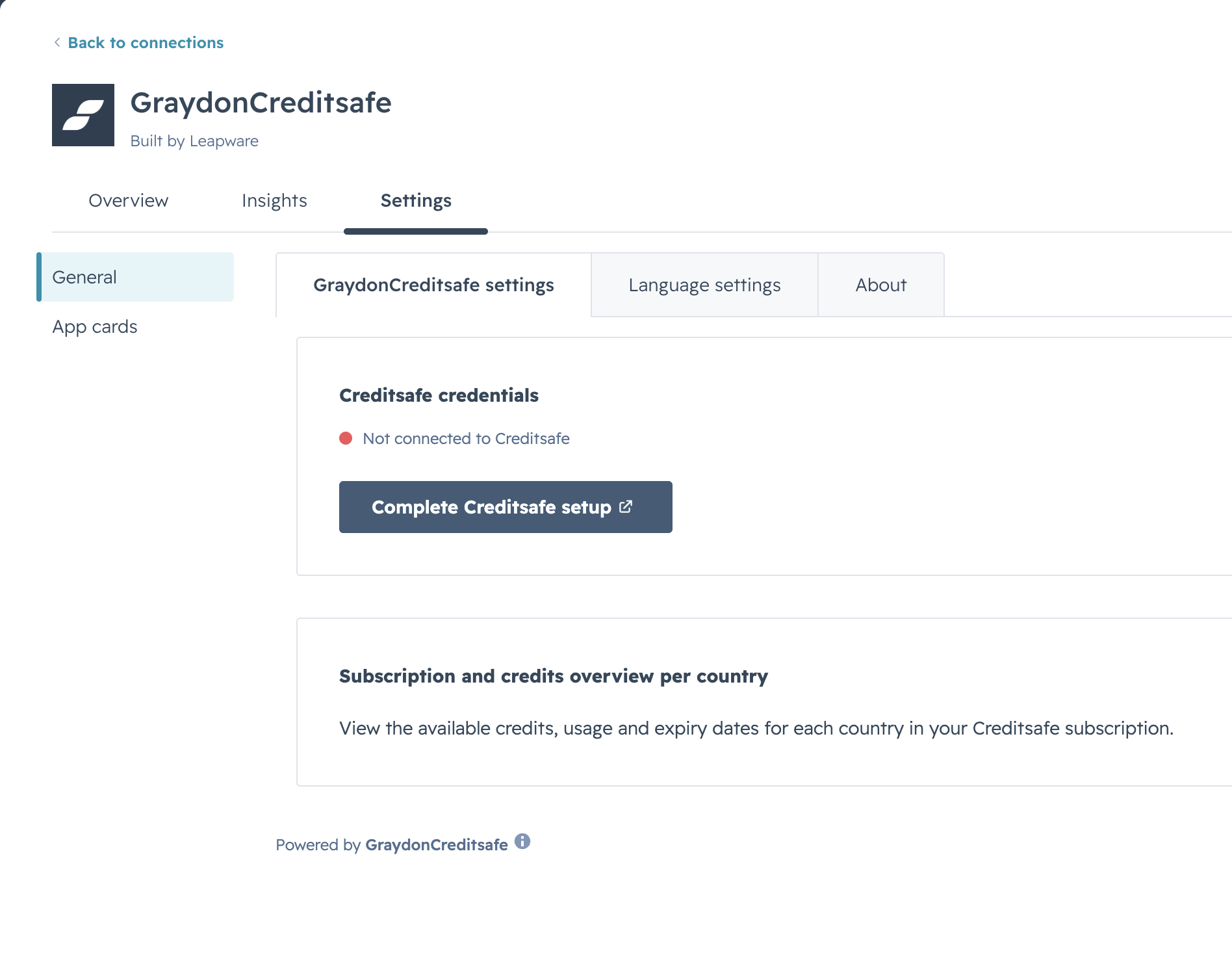
Step 3 - Navigate to app settings
To continue with the Creditsafe app setup you need to navigate to the app settings. That is where you will be able to connect your Creditsafe credentials to the app. Click on the "Complete Creditsafe setup" button to continue with the installation process.
Step 4 - Creditsafe credentials
This version of the Creditsafe app is intended for existing Creditsafe customers.
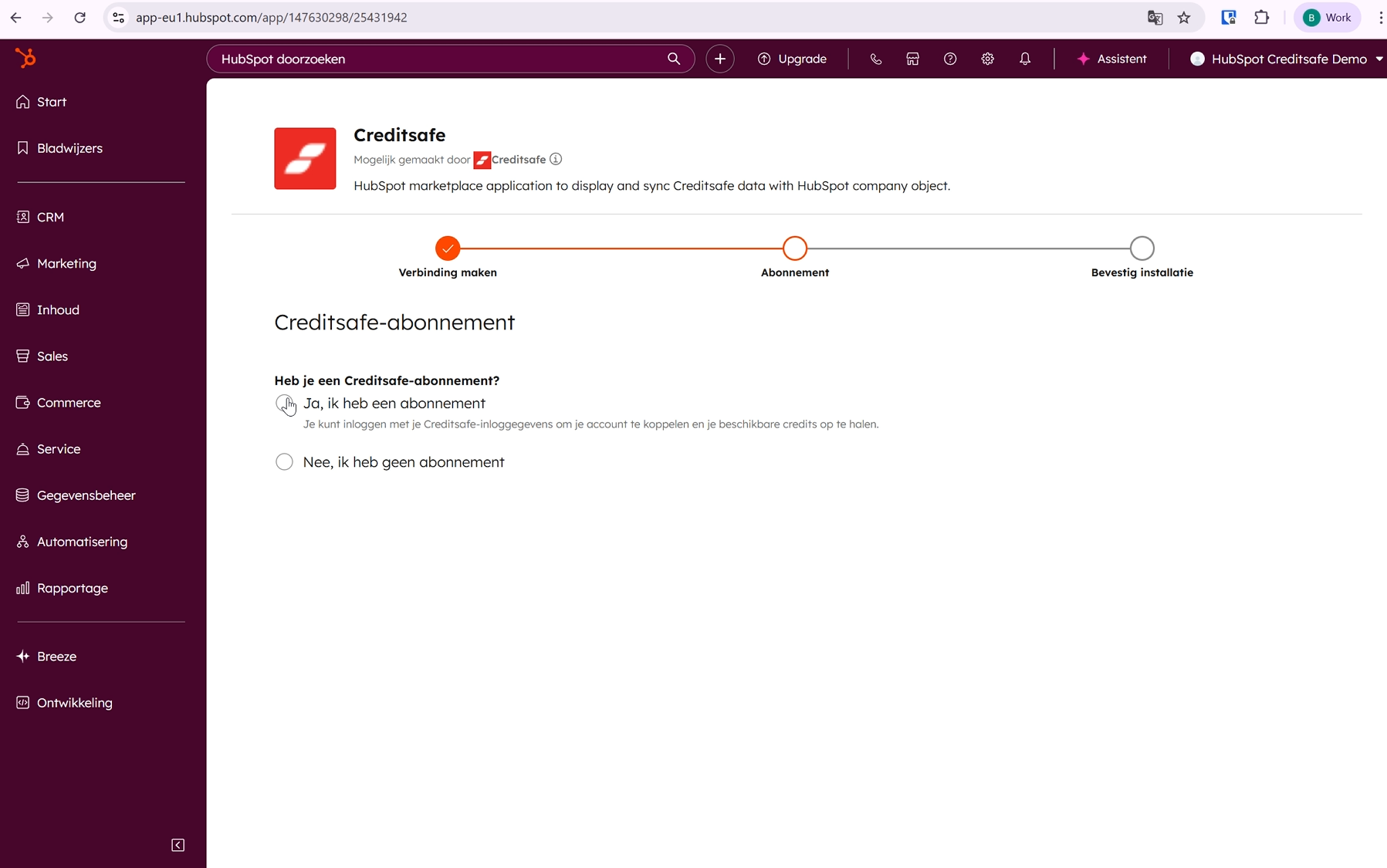
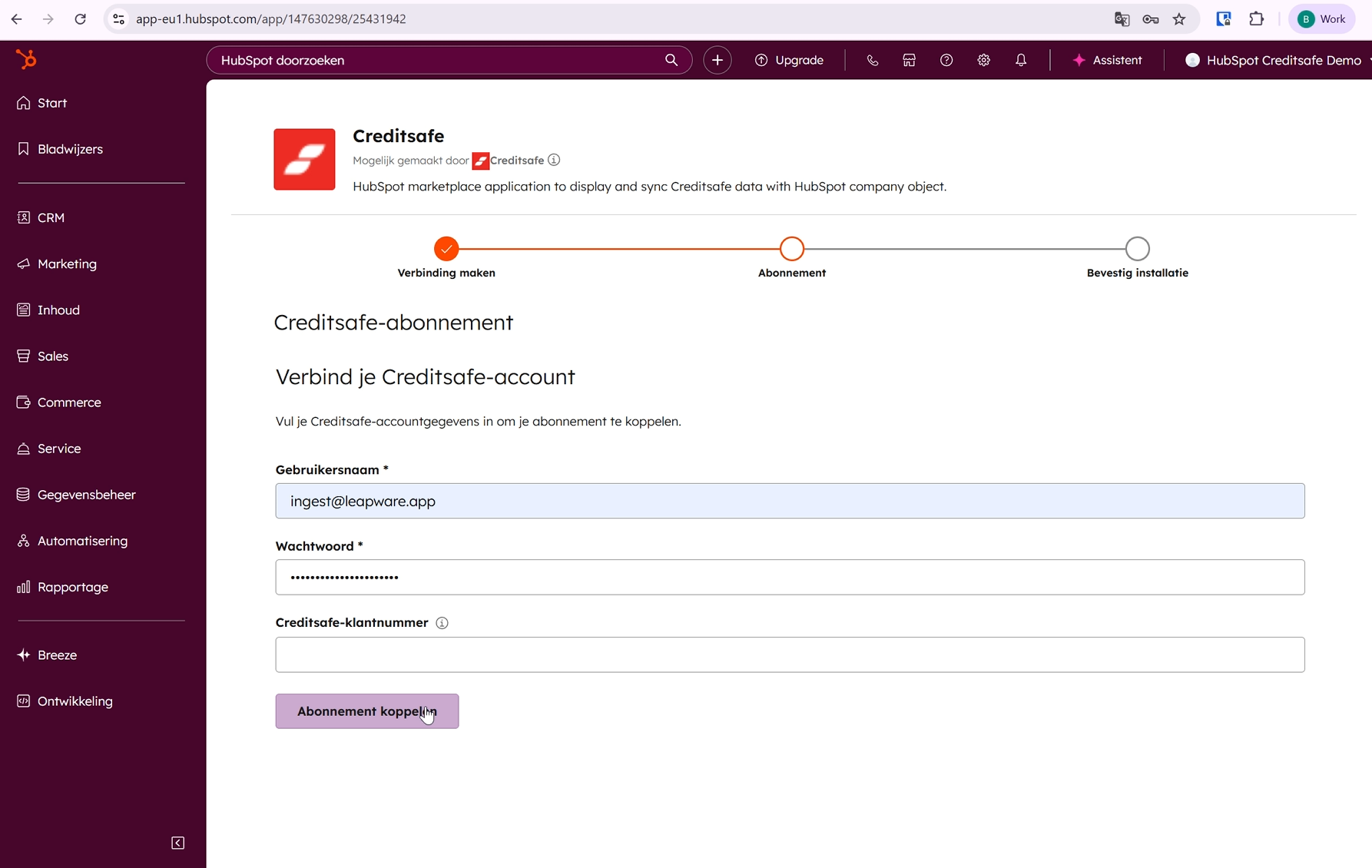
Step 5 - Connect your Creditsafe account
Enter your Creditsafe username and password here.
If you have your Creditsafe customer number available, you can enter it as well. Providing this information helps us respond more accurately in case any questions arise.
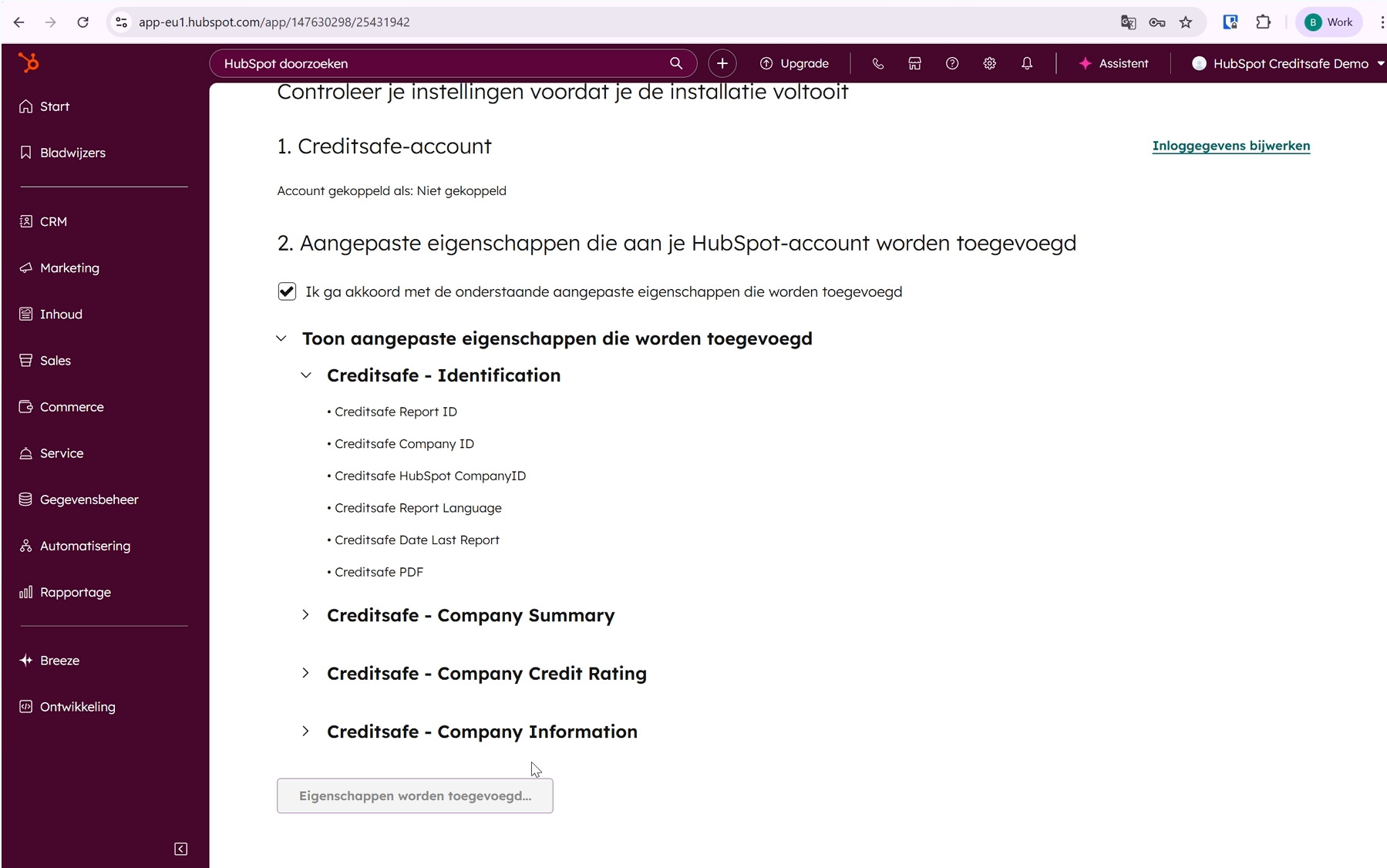
Step 6 - Finish setup
The final step of the installation process shows which custom properties will be created by the installer.
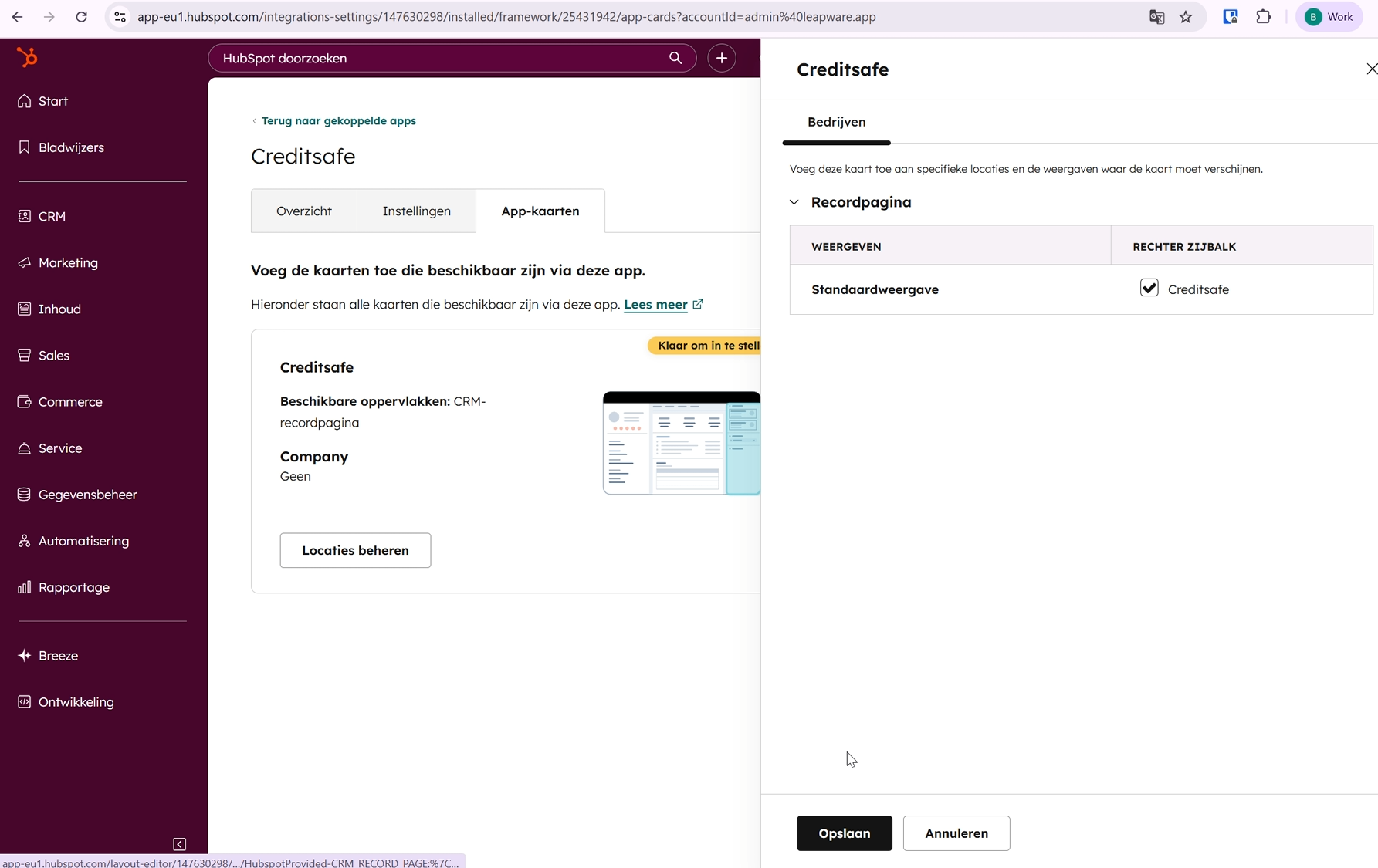
Step 7 - Add the card to the right side panel
To use the app, you need to add it to the right sidebar of the company record.